Documentation
Guides and reference for varsafe: the CLI, the dashboard, agents over MCP, CI pipelines and the security model.
varsafe is the secrets manager for teams that ship with agents. Your secrets and environment variables live in one place. Every developer, pipeline and coding agent gets the access its work needs, and every read and change is recorded.
The everyday workflow is one command. varsafe run hands the secrets to your process as it starts, so there is no .env file to share, commit or leak:
curl -fsSL https://varsafe.dev/install.sh | bash   # install the CLI
varsafe login                                      # approve in your browser; pick Full access
varsafe use                                        # pick the project and environment
varsafe set DATABASE_URL                           # store a secret (masked prompt)
varsafe run -- npm run dev                         # your app starts with its secrets
Five minutes, start to finish: Getting started takes you from a new account to an app running on injected secrets.
Using a coding agent?
Copy this prompt into it, and it follows the setup instructions to connect itself to varsafe over MCP. Your browser asks you to approve what it may reach.
Fetch and follow the instructions to connect me to varsafe from https://varsafe.dev/agent-setup/prompt.mdStart with what you are doing
I write code
Install the CLI, store a secret, and run your app with it. Nothing is written to disk.
I have a .env file today
Move its values into varsafe, check your app still starts, then delete the plaintext file.
I use a coding agent
Connect Claude Code, Cursor, Codex or VS Code. The agent works on a grant you approve, and the audit log shows what it did.
I run pipelines
Give each pipeline a token scoped to one environment. The deploy step receives its secrets as it runs.
I manage a team
Invite people with a role, protect production, and remove access in one step when someone leaves.
I review security
What is encrypted, who can reach what, what the audit log records, and what we do not claim.
Why teams use it
- No plaintext filesWhen a tool insists on a
.envfile, write it to RAM and delete it when the command ends, or commit it encrypted so that only people who may read the environment can open it. - Access that matches the jobRoles for people, scoped tokens for pipelines, and grants for agents. A protected environment such as production takes changes only from owners and admins, and from tokens created for it.
- A record of every readWho read or changed what, from which client and when. The audit log is append-only: the application cannot rewrite it.
- Offboarding in one stepRemoving a member revokes their CLI logins, agent grants and the API tokens they created.
- Versions you can roll backEach environment keeps its last 10 saved versions. Compare environments, preview a diff, and restore.
- Sign in your wayGitHub, GitLab, Google and Bitbucket, passkeys and two-factor authentication, and single sign-on on the Team plan.
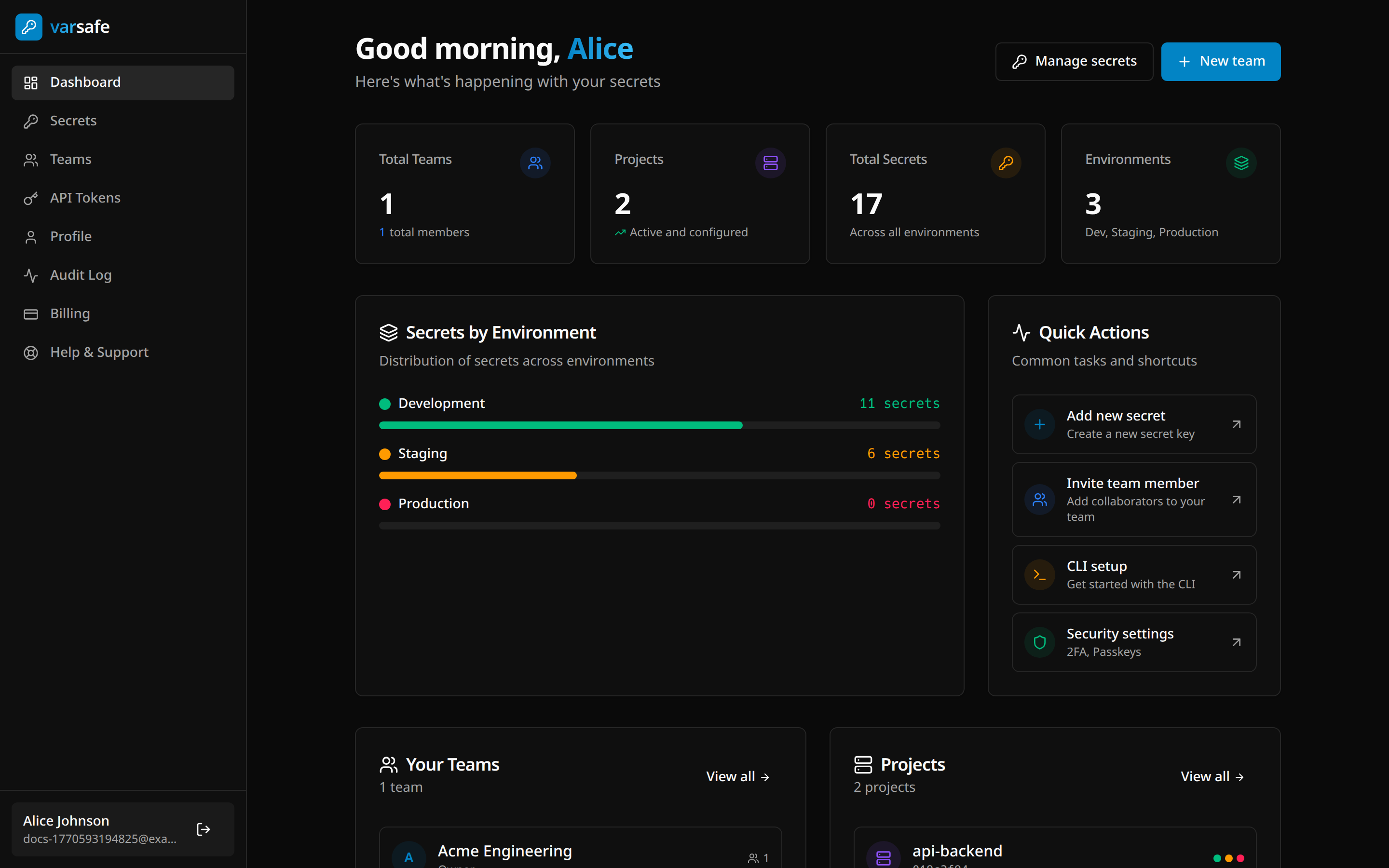
See it in the dashboard
The dashboard is where you invite members, set roles, protect environments and read the audit log.
When you need the details
- Core conceptsTeams, projects, environments and how a secret is addressed.
- CLI referenceEvery command and flag, generated from the binary.
- REST API referenceEvery public route, rendered from the OpenAPI specification.
- TroubleshootingFind your symptom or the exact message the CLI printed, and the fix.
- Security modelWhat is encrypted, who can see what, and what we do not claim.
- ChangelogWhat changed in each CLI release and on the platform.